Workspace audit logs
Learn how to access and use audit logs to track workspace activity in NocoDB.
This article covers workspace-level audit logs. For record-level logs (e.g., changes to individual records), refer to the record audit section.
Workspace audit logs are available on NocoDB Cloud (Scale plan and above) and licensed self-hosted deployments (Scale plan and above).
The Audit Logs feature in NocoDB provides a comprehensive, time-stamped record of user activity across your workspace. It enables workspace owners to monitor key actions, ensuring transparency, traceability, and accountability.
Accessing audit logs
Only workspace owners can access audit logs.
To view them:
- Click on the workspace name in the sidebar to open workspace settings.
- Select the Audits tab.
Audit log details
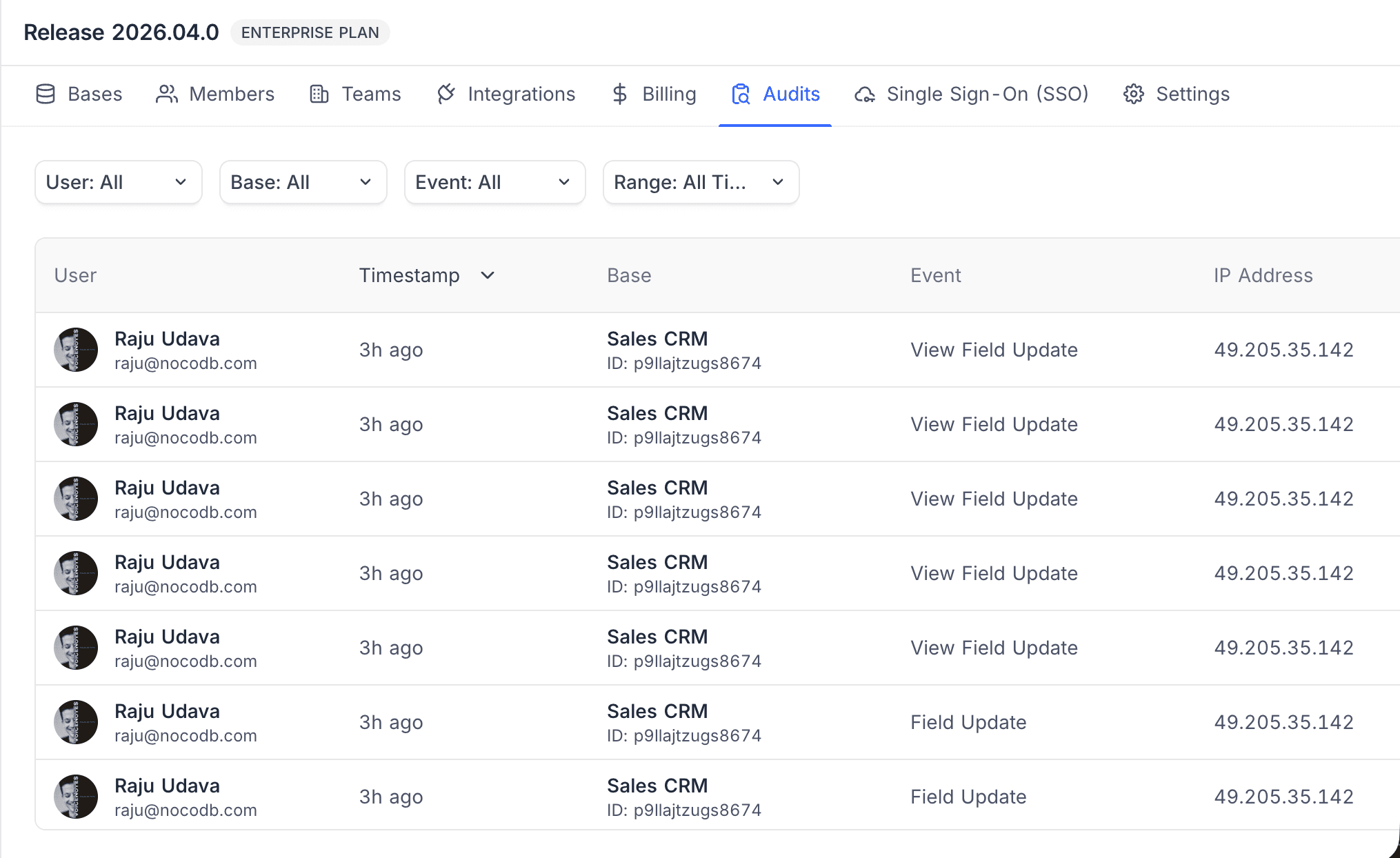
The audit list displays the following columns:
- User: Name and email of the user who performed the action
- Timestamp: Time of the event (e.g., “3h ago”)
- Base: Name and ID of the base involved
- Event: Type of action performed (e.g., View Field Update, Table Create)
- IP Address: IP of the user who performed the action
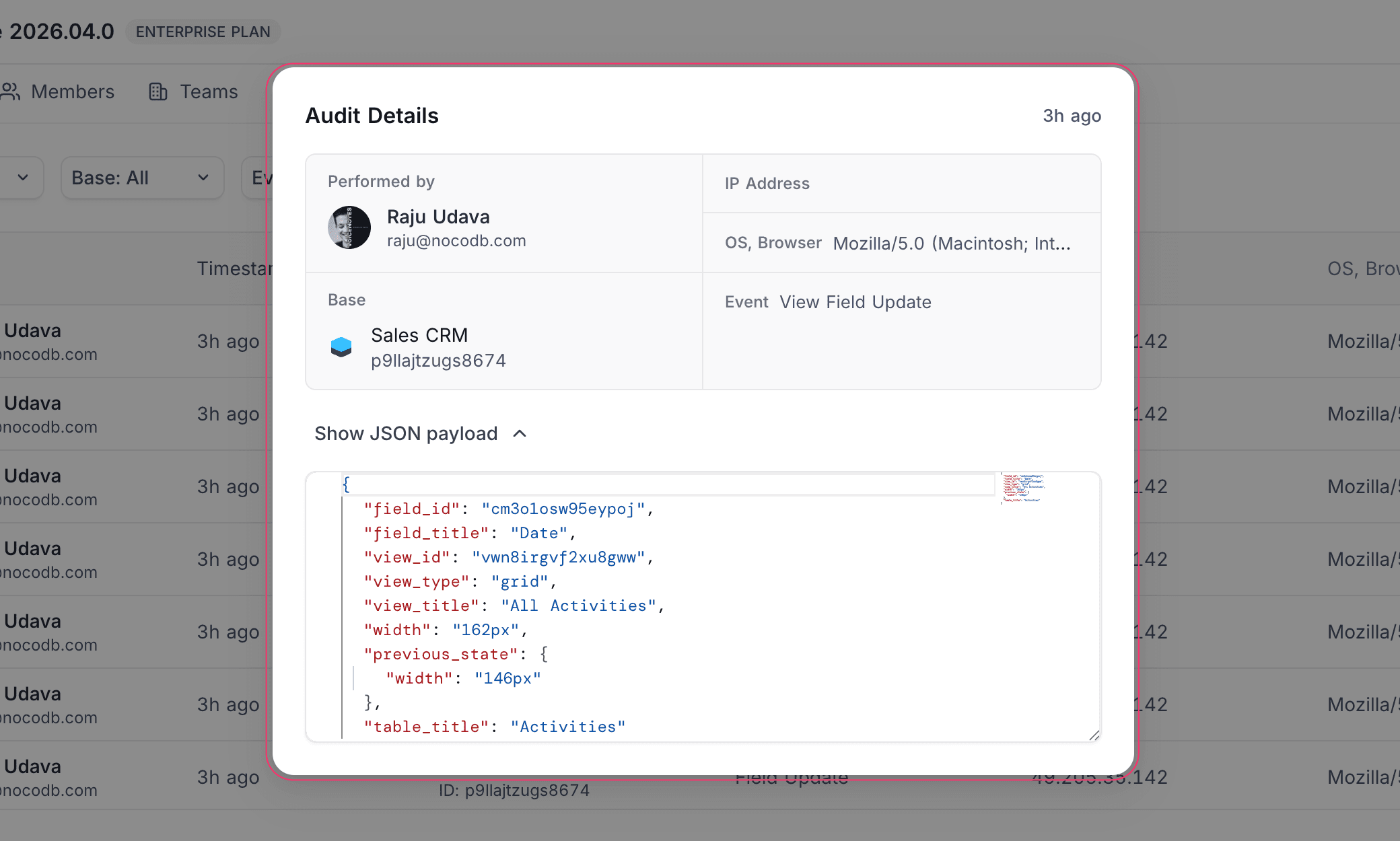
Click a log entry to view the Audit Details panel, which includes the performer, IP address, OS and browser info, base, event type, and the full event payload in JSON format.
Logged events
| Category | Events |
|---|---|
| Data | Insert, Update, Delete, Bulk Insert/Update/Delete/All Delete/All Update, Cascade Update, Link, Unlink, Import, Export |
| User & Auth | Sign Up, Sign In, Sign In Failed, Sign Out, Invite, Email Verify, Profile Update, Password Change/Reset/Forgot |
| Workspace | Create, Update, Delete, Rename, Member Invite/Update/Remove, Team Invite/Update/Remove |
| Base | Create, Update, Delete, Rename, Duplicate, Member Invite/Update/Resend, Team Invite/Update/Remove, Shared Base Create/Delete |
| Table | Create, Update, Delete, Rename, Duplicate |
| Field | Create, Update, Rename, Delete, Duplicate, Form Field Update, View Field Create/Update |
| View | Create, Update, Delete, Rename, Duplicate, Filter Create/Update/Delete, Sort Create/Update/Delete |
| Shared View | Create, Update, Delete |
| Webhook | Create, Update, Delete, Filter Create/Update/Delete |
| Source | Create, Update, Delete, Rename |
| Integration | Create, Update, Delete |
| Dashboard | Create, Update, Delete, Duplicate, Shared Dashboard Create/Update/Delete |
| Widget | Create, Update, Delete, Duplicate, Filter Create/Update/Delete |
| Script | Create, Update, Delete, Duplicate |
| Workflow | Create, Update, Delete, Duplicate |
| Document (NocoDocs) | Create, Update, Delete, Comment Create/Update/Delete |
| Permission | Create, Update, Delete |
| RLS | Policy Create, Update, Delete |
| Record Template | Create, Update, Delete, Use |
| Date Dependency | Update, Delete |
| API Token | Create, Update, Delete |
| Snapshot | Create, Delete, Restore |
| Team | Create, Update, Delete, Move, Member Add/Update/Remove |
| SCIM (Enterprise) | User Provision, Update, Deactivate, Reactivate, Delete |
| Airtable Import | Import, Import Error |
| Org Users (Self-hosted) | Invite, Resend Invite |
Filtering logs
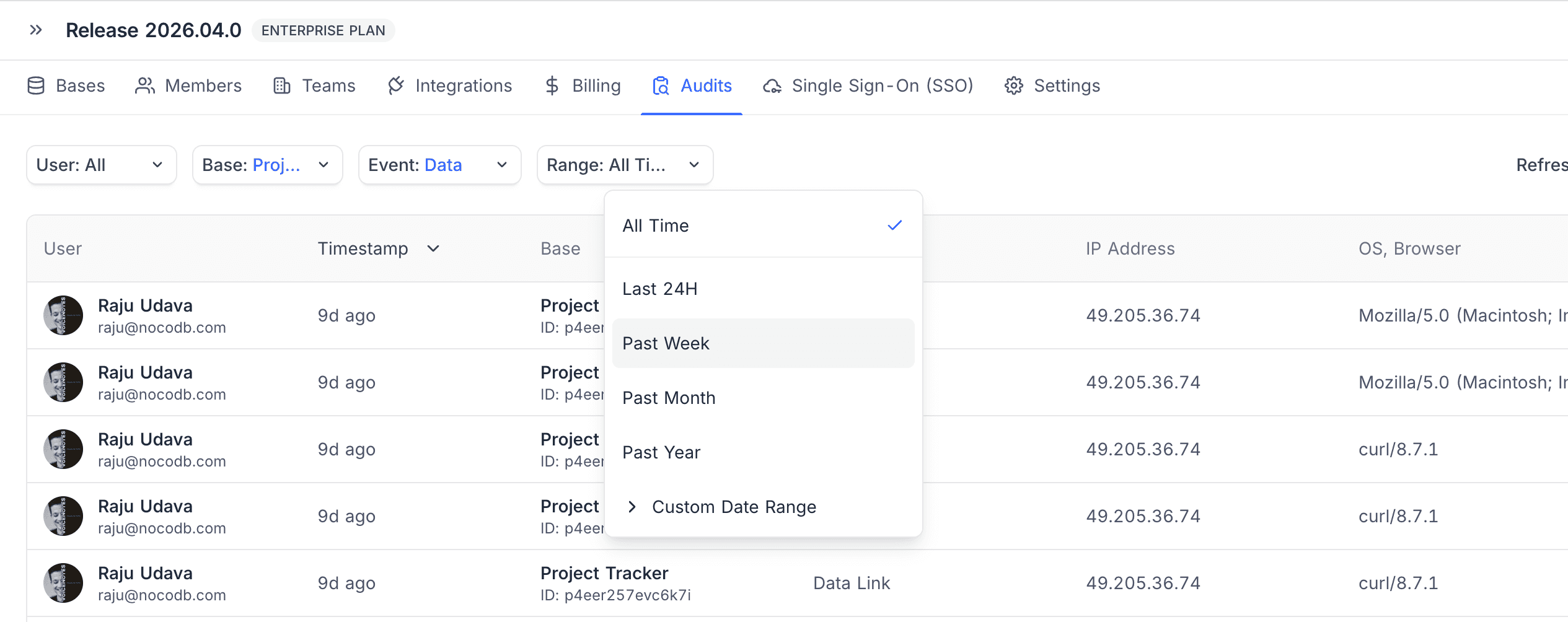
Use the filter bar at the top of the Audits tab to narrow results by:
- User
- Base
- Event type
- Range — All Time, Last 24H, Past Week, Past Month, Past Year, or Custom Date Range