Create record
Learn how to create a record in NocoDB.
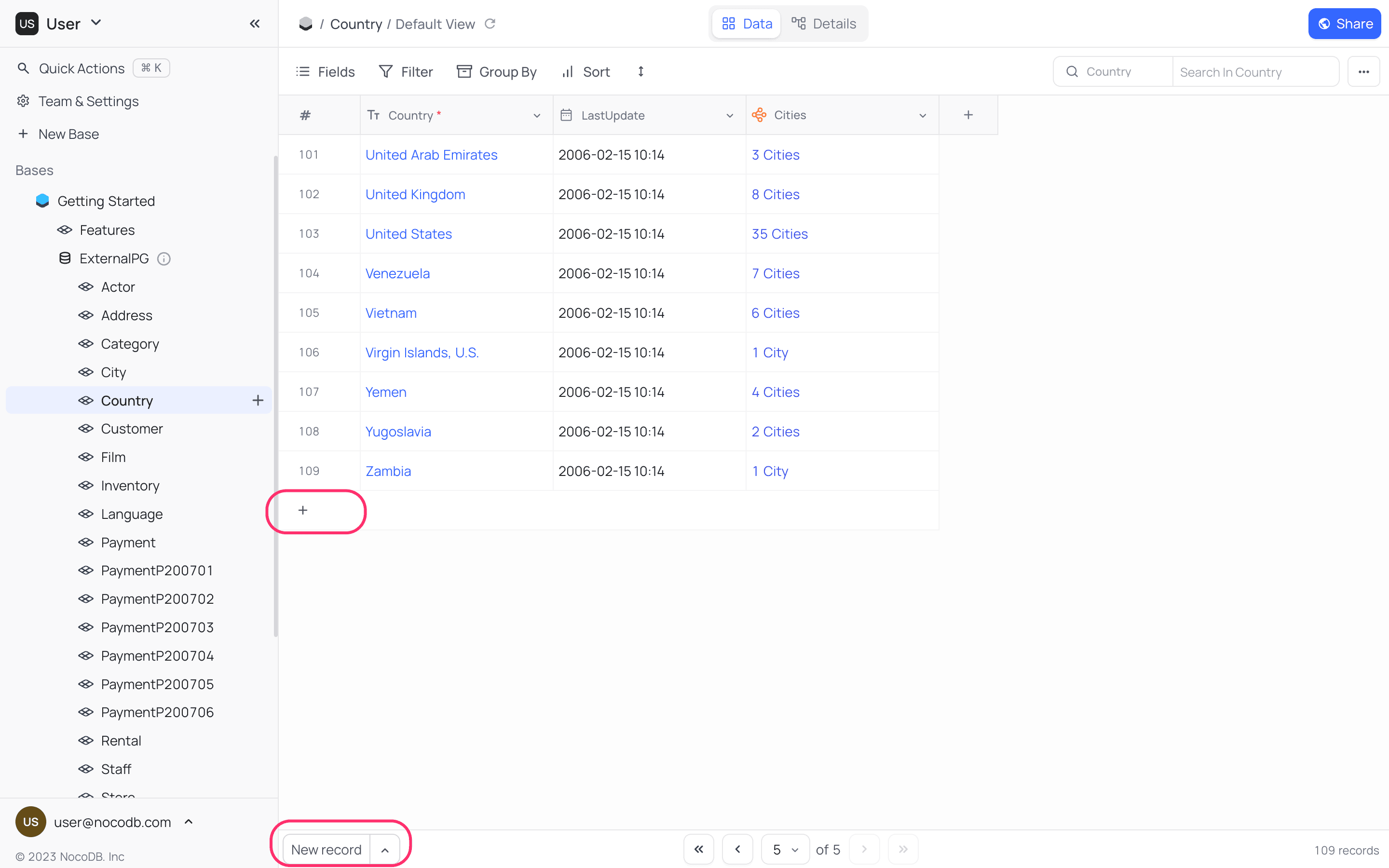
A new record can be added by using the New Record button in the bottom left corner of the grid view. Default behaviour of this button is to add a new empty record at the end of the grid view. Fields for a record can be populated by clicking on the cell and entering the value.
- An empty record can also be added by using
+icon in the last record of the grid view. - When on last record,
Enterkey can be used to add a new empty record to the grid view.
NocoDB also provides convenience of a form to populate fields in a record. To add a new record using a form,
- Click on the up-arrow in
New Recordbutton; this expands options for adding a new record. - Select
New Record - Formoption. This will reconfigure default behaviour ofNew Recordbutton to add a new record using a form.

To revert back to default behaviour of
New Record button, click on the up-arrow in New Record button and select New Record - Grid optionInsert Anywhere
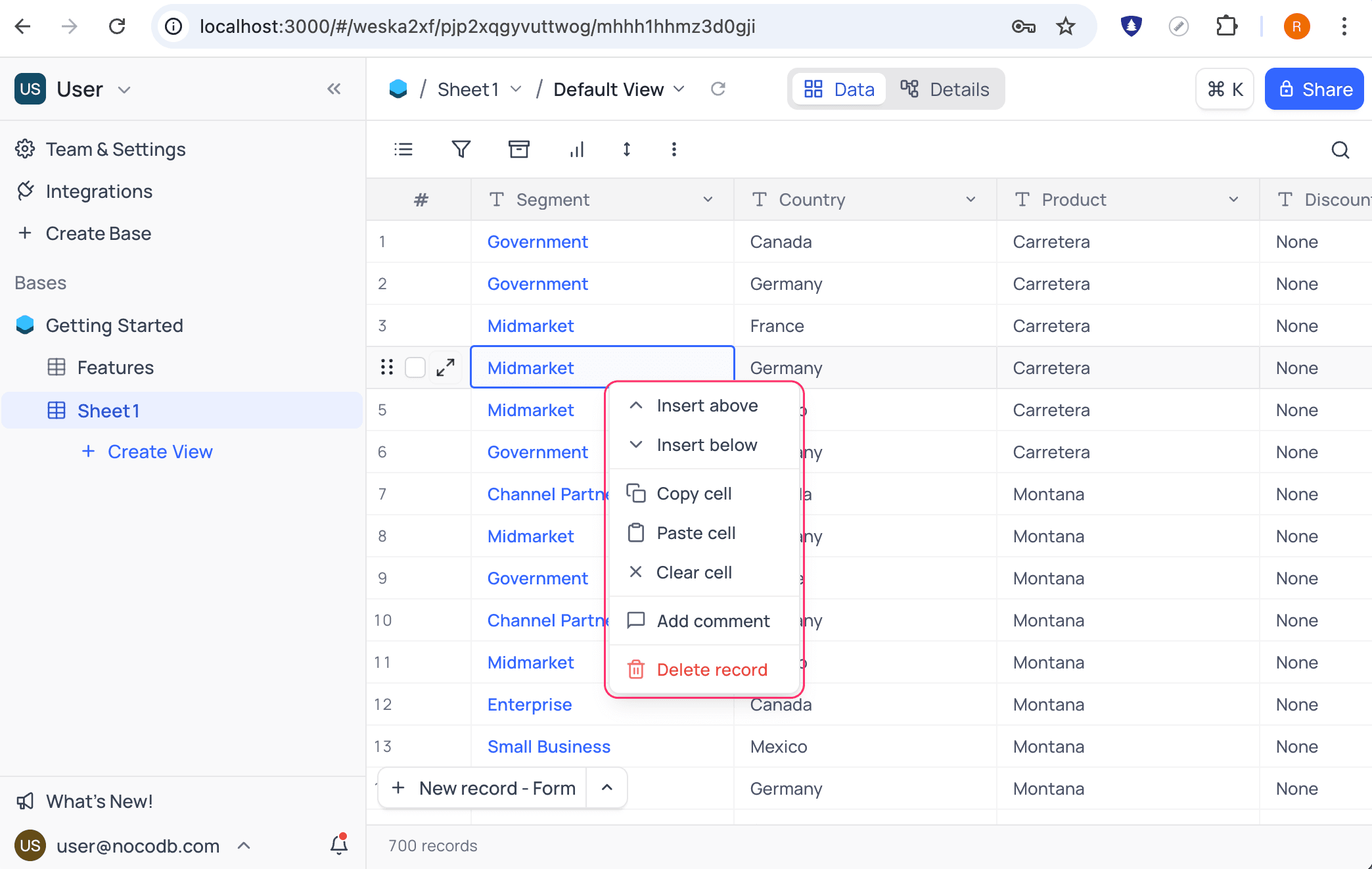
You can insert a new record anywhere in the grid view by using right-click context menu. Click on any record and select from Insert above or Insert below options. A new empty record will be added above or below the selected record.