Sync with Data source
Learn how to sync changes done in external data source with NocoDB.
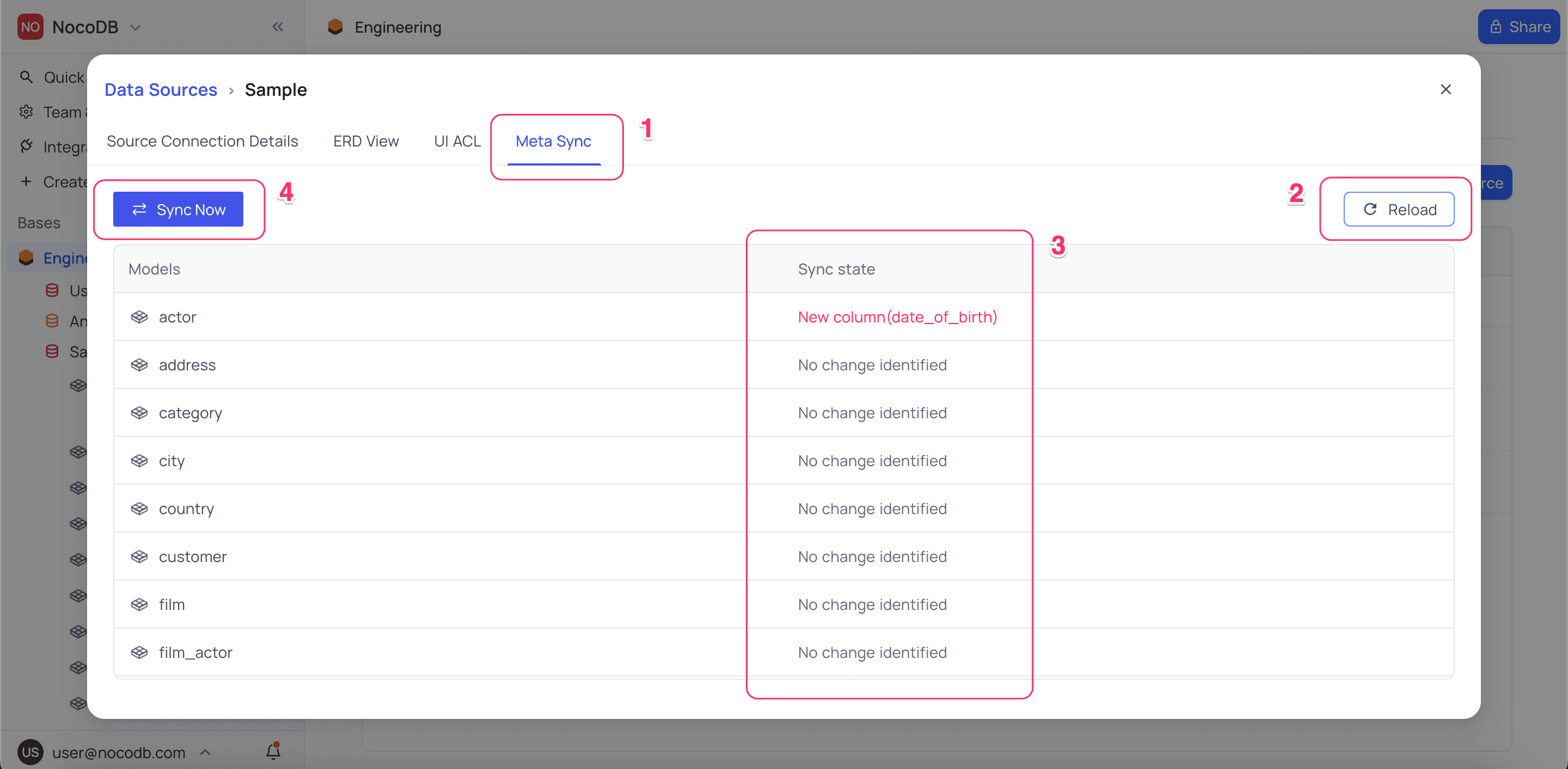
To sync changes done in the external data source with NocoDB, Open Data Sources tab in the Base Settings, select the data source you wish to sync metadata for, and follow the steps below:
- Click on the
Meta Synctab - Click on the
Reloadbutton to refresh Sync state (Optional) - Any changes to the metadata identified will be listed in the
Sync Statecolumn - Click on
Sync Nowbutton to sync the metadata changes - Once the sync is complete, you can see the updated state in the
Sync Statecolumn
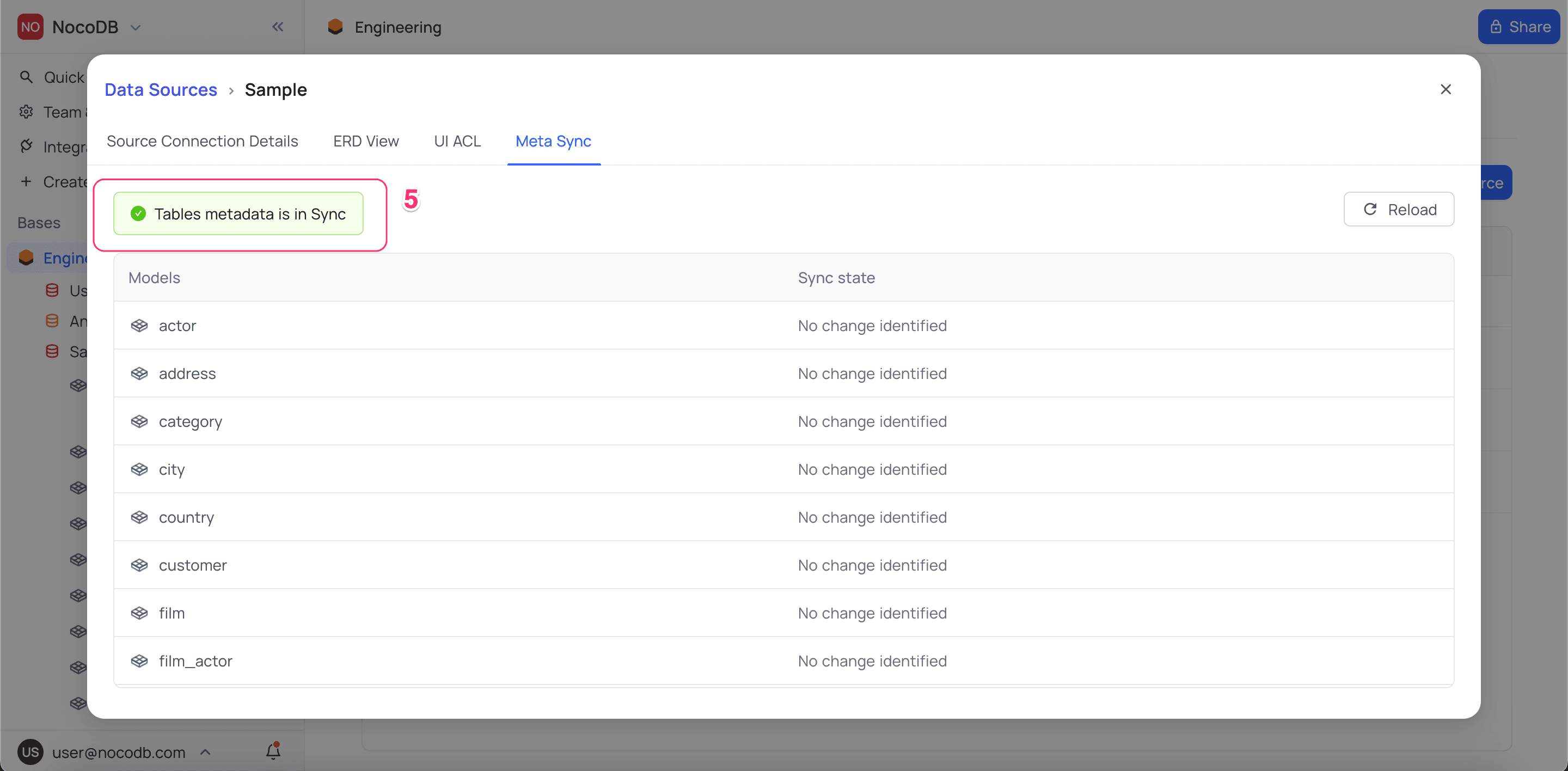
After the sync is complete, you can see the updated state in the Sync State column.
Sync modal also marks Tables metadata is in Sync in the header.