Collaboration
Edit NocoDocs pages together in real time, see who is working where, and understand how roles shape what each collaborator can do.
NocoDocs is built for working together. Multiple people can edit the same document at the same time — everyone sees each other's changes instantly, with no turn-taking, no locking, and no risk of overwriting a teammate's work.
Editing Together
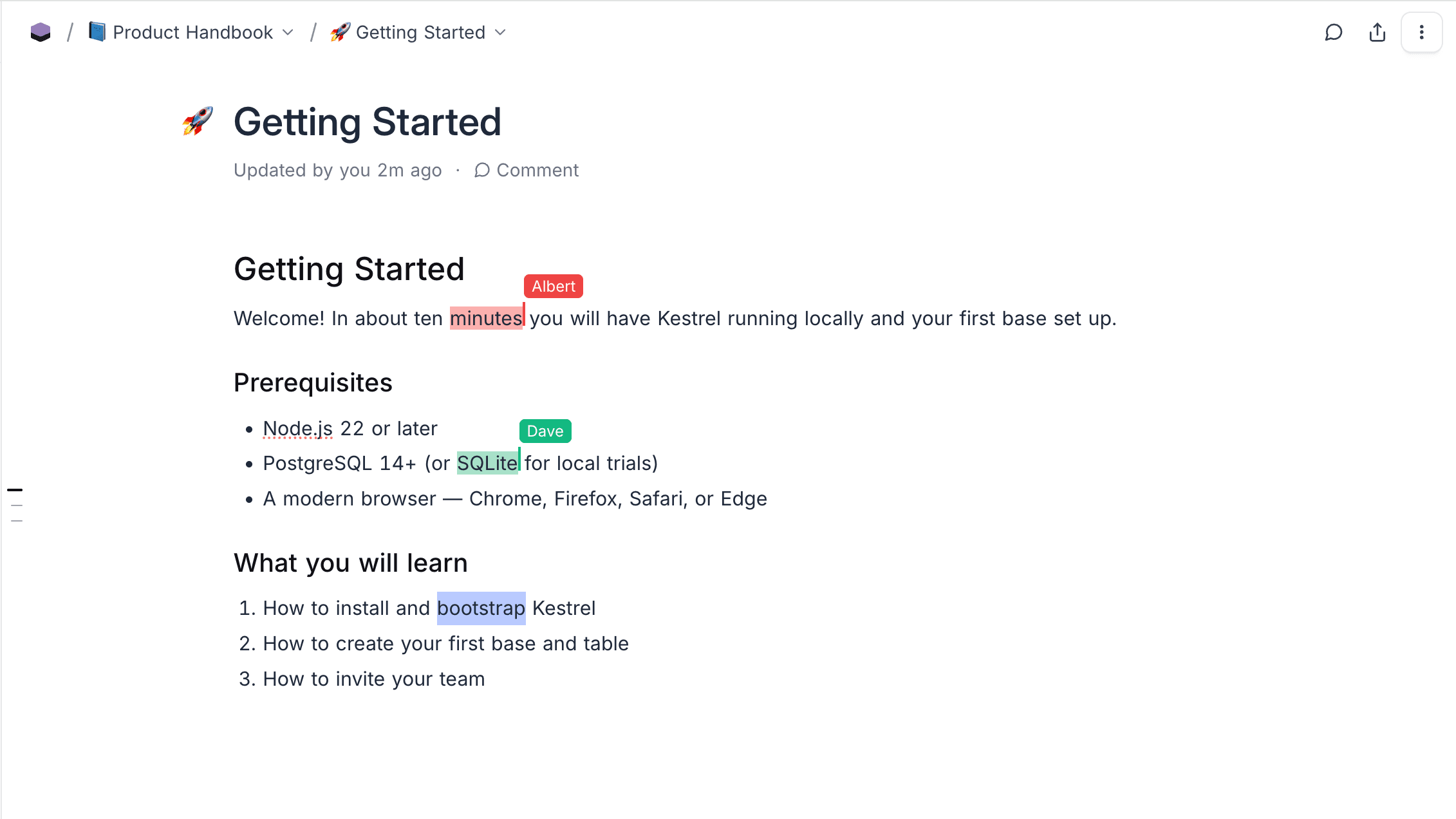
Open the same document as a teammate and start typing — both of you can edit simultaneously, anywhere on the page, including the title. Edits merge automatically and conflict-free, so simultaneous changes never cancel each other out and nothing needs to be refreshed manually.
Collaborator Cursors
Each collaborator gets a colour-coded cursor in the text, carrying their name, so you always know who is writing where. Cursors move live as people type or select text.
Presence Avatars
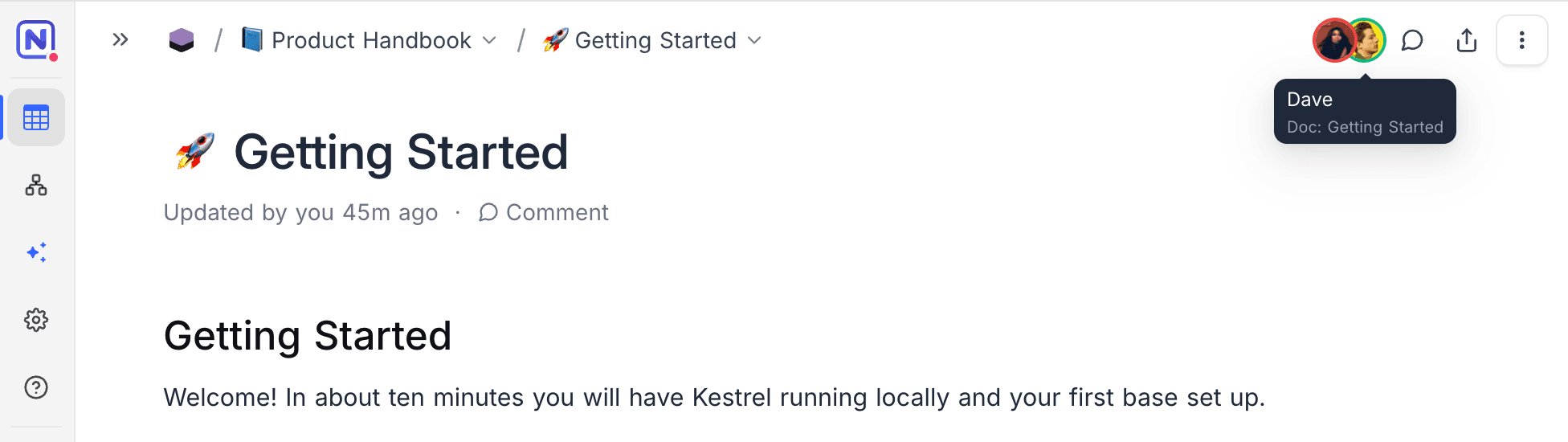
Avatars in the document top bar show everyone who currently has the document open. Each person's avatar colour matches their cursor colour in the text, and hovering an avatar shows who it is and which document they are viewing.
Offline Edits
If your connection drops while editing, keep writing — your changes are stored locally and reconciled automatically when you reconnect, merging cleanly with anything your collaborators wrote in the meantime.
What Stays in Sync
Real-time sync goes beyond the text itself. While a document is open, the following update live for everyone:
- The document title
- Comments, comment threads, and comment counts
- Sub-pages created or removed in the document tree
- The document's sharing state
- Restores from Version History — when someone restores an earlier version, every open editor switches to it instantly
Roles and What Collaborators Can Do
What each person can do in a shared document follows their base role. Roles are assigned at the workspace or base level — see Roles & Permissions for how they are granted and inherited.
| Role | In a collaborative document |
|---|---|
| Viewer | Reads the document and sees everyone's edits live, but cannot make changes. Read-only access is enforced on the server, not just in the editor. |
| Commenter | Everything a Viewer can do, plus adding and replying to comments. |
| Editor | Edits the document in real time alongside other editors, with a live cursor and presence avatar. |
| Creator | Everything an Editor can do, plus creating, moving, and deleting documents. |
| Owner | Full control, including managing document-level permissions. |
Document-Level Overrides
Individual documents can restrict access further with Document Permissions (Enterprise): Document Visibility controls who can open a document at all, and Document Editing controls who can change it. A collaborator whose editing is restricted still sees live updates from others but joins in read-only mode.
Version History with Multiple Editors
Collaborative editing and Version History work hand in hand. Each author's editing session is recorded as its own version entry — edits by different collaborators are never merged into a single version, so the history always shows who changed what.
Self-Hosted Deployments
NC_DOCS_REALTIME=false. The editor then falls back to single-user auto-save; documents remain fully editable, but changes from others appear only after a reload.Related Topics
- Comments — Inline comments, threads, and reactions.
- Document Permissions — Control who can view and edit individual documents.
- Version History — Browse prior versions, compare changes, and restore.
- Roles & Permissions — How workspace and base roles are assigned and inherited.